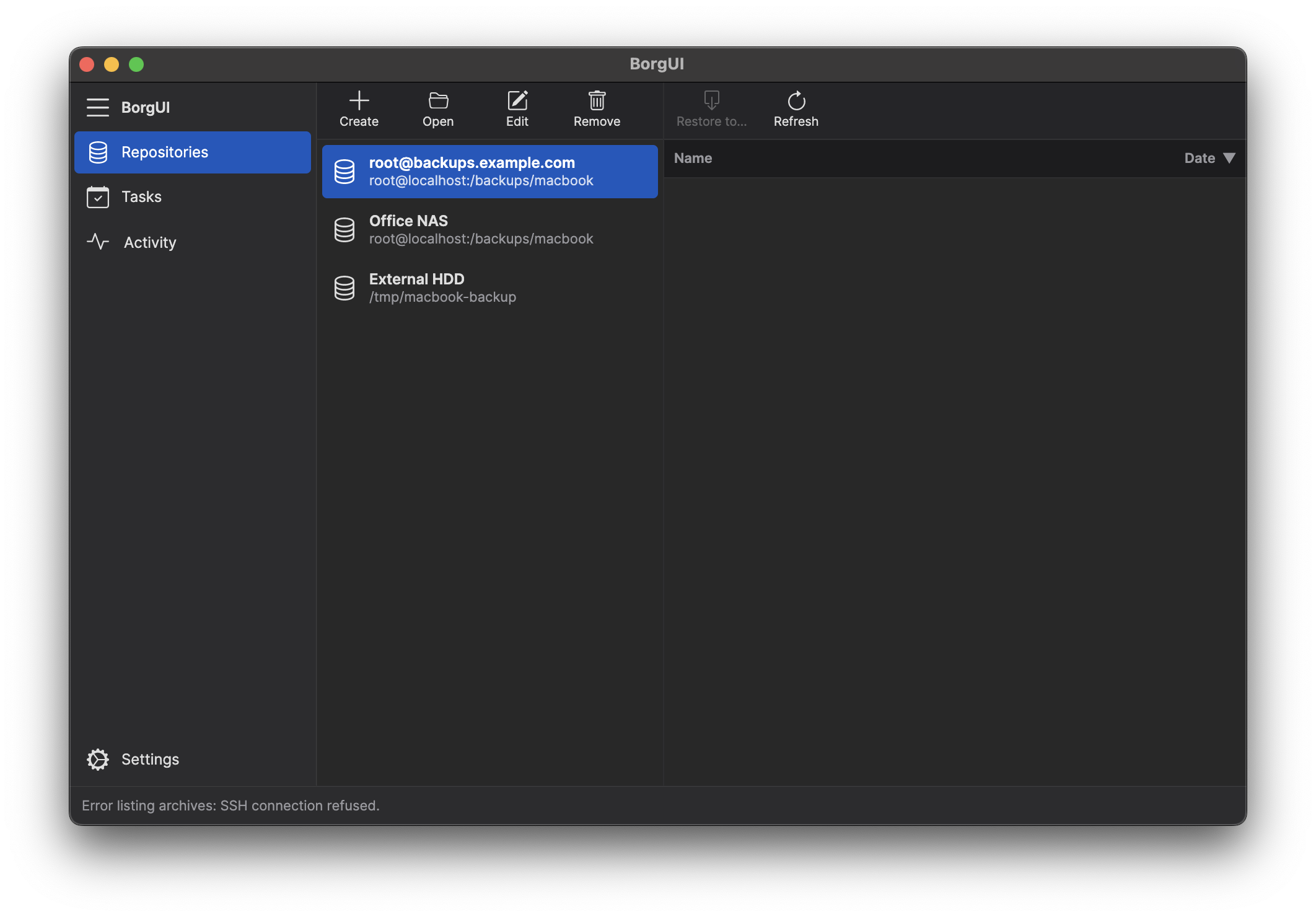
BorgUI is a cross-platform desktop app that puts a modern interface on BorgBackup — the deduplicating archiver trusted by sysadmins worldwide.
Latest version: 0.1.0
Windows is supported through WSL (Windows Subsystem for Linux).
All the power of BorgBackup, none of the command-line complexity.
Create, open, and manage local and remote borg repositories with an intuitive interface. Full SSH support included.
Configure backup tasks with source directories and target repositories. Run backups manually or monitor progress in real time.
Browse archives, view contents, and restore individual files or entire snapshots to any location.
Configure borg binary path, language, theme, and logging preferences — all from a simple settings panel.
Supports all borg encryption modes. Passphrases stored securely in macOS Keychain, Windows Credential Manager, or Linux libsecret.
Runs natively on macOS, Windows, and Linux with a consistent look and feel across all platforms.
Install borg via your package manager (brew, apt, pacman) or download the binary. BorgUI will detect it automatically.
Point BorgUI at an existing repository or create a new one — local path or remote SSH server.
Select directories, set encryption, and run your backup. BorgUI handles deduplication, compression, and verification.
Track backup jobs in the activity view. Browse archives and restore files when you need them.
BorgUI does not collect any information about you or your system. No analytics, no telemetry, no tracking.
BorgUI never sends your data anywhere except the backup destination you configure. Your files stay between you and your repository.
The only external connection BorgUI may initiate is to check for updates. This can be disabled in settings.